Finding Your Ideal Provider
Seven of the best email providers that respect your privacy
I’m an affiliate of some of these companies. Affiliate links are marked with an asterisk (*).
This means I earn a small commission if you sign up through my links – at no extra cost to you.
I only recommend services I trust. For a fuller explanation of my appraoch, see this article.
Privacy-friendly Alternatives to Gmail
So you’ve stopped using Google for search, changed your browser and tweaked your settings for more privacy – now you’re ready to take your degoogling to the next level. For many people, that means finding a replacement for Gmail – the world’s largest email provider with over 1.8 billion monthly active users.
But there are hundreds, if not thousands, of email providers out there – which one should you trust to handle your data with the respect it deserves? In my aritcle on finding a replacement, I give you a handful of questions for assessing whether a provider is a good fit for you.
- What is the business model?
- Where is it located and what data protections apply?
- What does migration entail?
- Does it have what I need (features & ecosystem)?
- What “encryption type” am I?
The first two focus on the provider as a company, while the latter three are about what the provider offers.
For this article, I have applied the first two questions in order to give us our starting pool of 7 providers. For those curious, I compiled a brief profile covering each provider’s business model as well as a few other relevant/interesting facts here.
My criteria:
- I looked for providers with a clear, privacy-friendly business model (no collecting/selling of customer data, no targeted ad business, etc.)
- The providers must be based in the EU/Switzerland as these countries have some of the strictest data protection laws in the world
Beyond those first two aspects, I wanted providers with a proven track record. They needed to have offered their email services for at least 10 years and have a good reputation in the industry.
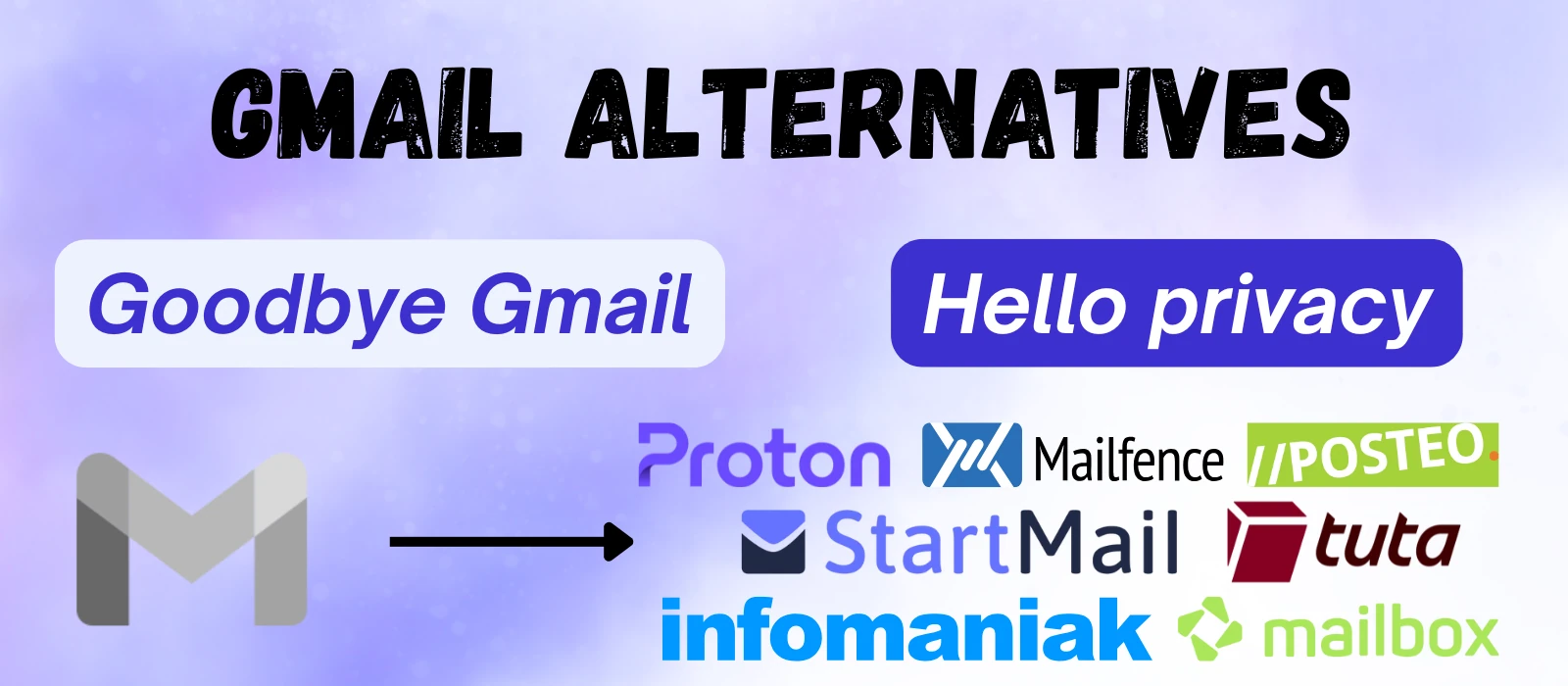
This left me with seven privacy-oriented email providers – Infomaniak, Mailbox, Mailfence, Posteo, Proton, StartMail and Tuta.
With these seven, we can now go through the three remaining points – highlighting what makes each provider unique and hopefully helping you find the ideal email provider to replace Gmail and co.
And to give you a quick recommendation, I made this handy-dandy questionnaire. It is meant more as a suggestion than a comprehensive recommendation. The rest of the article will then provide details on each question and cover aspects that didn’t make it into the questionnaire.
The Questionnaire
Find Your Ideal Privacy Email Provider
Answer 6 questions to get personalized recommendations
You want to leave Gmail, but where should you go?
This quick questionnaire will help find the best match with 6 questions.
How it works:
- 1.Answer 6 questions about your email needs (takes about 1 minute)
- 2.Get personalized recommendations ranked by how well they match your preferences
- 3.See exactly which features each provider offers for your needs
All matching happens in your browser. No data is collected or shared.
*Links on final page contain affiliate links.*
Migration
The first question asks you about your migration prferences. Migration is the actual process of moving all your emails, contacts and usually calendars over to the new provider. In the case of the seven providers on this list, you have roughly two groups to choose from in terms of the migration experience.
One Click and Done
Proton, StartMail and Infomaniak all offer highly automated, user-friendly experiences for users switching from Gmail.
- Proton’s Easy Switch handles emails, contacts and calendars in one go
- StartMail uses ShuttleCloud (an enterprise migration platform) to import from 200+ providers
- Infomaniak has their own tool that functions very similarly
DIY With Instructions
Posteo offers a one-click migration service for up to three external accounts from selected providers (AOL, GMX, Hotmail, iCloud, Office 365, Outlook.com, WEB.DE, Yahoo), but Gmail is unfortunately not one of them. When coming from Gmail, you have to use a more involved manual copy method using an email client.
Mailbox requires roughly the same process as does Mailfence.
Tuta represents something of an in-between case. It launched its email import feature in February 2025, but it is only available on the highest paid plans currently via the desktop client. Tuta’s solution only imports already exported files, so you still need to handle the export manually.
If you’re on Tuta’s free/lower tiers, you’re currently stuck with manual forwarding or third-party tools. Contacts and calendars can be imported via .ics/.vCard files, which works but again requires the manual export-import dance.
One thing to keep in mind with all of these is the time factor. The more mail you have (especially with large attachments), the longer the move will take. It could take several hours or even multiple days to fully move all of your mail.
Core Features
The next three questions are feature-related and the first question is about how you prefer to access and interact with your emails.
Platform & App Compatibility
How you access your email – whether by desktop clients like Thunderbird, web interfaces or mobile apps – can impact your choice of provider.
The quesstionnaire asked specifically about IMAP as this can be a deal-breaker for certain users.
-
IMAP/SMTP support: This is crucial if you want to use Thunderbird or other email clients to access your messages.
- Posteo, StartMail, Mailbox, Infomaniak and Mailfence all support IMAP/SMTP natively.
- Proton requires Proton Bridge (included in its paid plans) to enable IMAP access.
- Tuta doesn’t support IMAP at all due to their encryption scheme, meaning you must use their apps or web interface.
-
Web interfaces: All seven providers offer web access and each uses a fairly similar layout.
-
Mobile apps: Proton, Tuta, Mailbox, Infomaniak and Mailfence offer dedicated iOS and Android apps. StartMail and Posteo don’t have mobile apps.
-
Desktop apps: Proton and Tuta offer desktop apps for Windows, Mac and Linux.
Additional Services (Beyond Email)
The next question asks about your preferences regarding the range of services provided. Some providers offer complete ecosystems that rival Google’s offering while others are more email-centric.
Proton, Mailbox and Infomaniak provide the most comprehensive suites and come the closest to replicating the full Google experience (minus the data privacy woes).
Mailfence is the ‘tweener of the bunch with its modest productivity suite, while Posteo, Tuta and StartMail round out the list with more compact feature sets.
| Provider | Calendar | Drive | Meet | Docs / Sheets | Password Manager | Keep / Notes | Chat | Gemini / AI Assistant | VPN |
|---|---|---|---|---|---|---|---|---|---|
| Proton | X | X | in beta | X | X | - | - | X | X |
| Mailbox | X | X | X | X | - | X | X | - | - |
| Infomaniak | X | X | X | X | - | - | X | X | - |
| Mailfence | X | X | - | X | - | - | X | - | - |
| Posteo | X | - | - | - | - | X | - | - | - |
| Tuta | X | - | - | - | - | - | - | - | - |
| Startmail | - | - | - | - | - | - | - | - | - |
Pricing
For some people, maintaining Gmail’s zero-dollar price tag is the most important feature of all – and that is what the final feature-related question targets.
The good news: there are privacy-respecting options available for free. However, if you’re anything more than a light email user, you’ll likely bump into the limitations of most free tiers pretty quickly.
Free Accounts
It’s hard to beat free when it comes to pricing – and several of these providers offer a free tier, while others offer a free trial period.
| Provider | Mail Storage | Features |
|---|---|---|
| Infomaniak | 20 GB | Calendar, drive, video conferencing and more included |
| Proton | 1 GB | Basic calendar, VPN, drive, password management included |
| Tuta | 1 GB | One calendar also included |
| Mailfence | 500 MB | 500 MB for documents |
| Mailbox | 30-day trial | Trial only, no free tier |
| StartMail | 7-day trial | Trial only, no free tier |
| Posteo | None | N/A |
If you are a light email user who doesn’t need any extras, these plans could be all you need.
Even for those who are planning to purchase a paid plan, I would still recommend trying a free/trial account before committing. While the free plans have some limitations, they allow you to get a feel for the layout, ecosystem and cross-device compatibility.
Paid Accounts
Paid plans range from €1 to €10/month. Most providers offer two tiers that aim to satisfy two main customer groups:
Moderate users (€3-5/mo.): At this level, you get decent storage, 1-2 custom domains, a fair amount of aliases and maybe one or two additional features
Power users (€7-10/mo.): These are folks who either use email A LOT or are looking to replace their entire Google ecosystem in one go. This level only makes sense if you know you will take advantage of the added features.
One practical tip: If you aren’t in a rush to get degoogled as fast as possible, you can save some decent money by waiting for sales. While most providers offer a flat discount of 15-25% on yearly commitments, deeper savings can be had roughly 2-4 times a year (e.g. around Black Friday).
As an affiliate, I usually get a head’s up about such deals and will try to alert my newsletter subscribers when worthwhile discounts pop up – so if you’re planning to switch but not in a rush, subscribe here to catch the next sale rather than paying full price.
Other Key Features Not Covered in the Questionnaire
Custom Domain Support
A custom email domain is useful if you have your own business or want to be able to keep your email address even if you change your provider. So instead of an address like john@provider.com, you can have your own domain like john@degoogle-your-life.com (the part after the @-symbol is the domain). Most providers support this, but availability varies by tier.
Proton, Tuta, StartMail, Mailbox, and Mailfence all include custom domain support in their base paid tiers. Posteo doesn’t currently offer this feature.
Infomaniak is unique on this list as its core business is in domains and web hosting rather than email. If you are interested in a custom domain or hosting services beyond email, it is worth checking their broader range of options. Email is often included as a bonus with these services.

Stay in the Loop
Get updates on new guides, tools, and tips to help you degoogle your life.
Email Aliases
Aliases let you create multiple “fake” email addresses that forward to your main inbox. There are a variety of reasons one might use aliases, such as for greater privacy (not sharing your main email address) or to limit SPAM (you can turn off an alias if you don’t need it anymore).
StartMail is the clear value winner here with unlimited aliases included in its Personal plan. Proton matches this on its aptly named Unlimited plan. The maximum limit for the other providers ranges from 20-50 depending on the exact plan chosen.
Storage
Mail storage needs can vary dramatically by user. Light email users might never exceed 1 GB, while those with years of correspondence and liberal use of attachments need substantially more. If you have existing accounts, check your current storage use for a baseline.
| Provider | Free Plan | Entry Plan | Highest Tiers* |
|---|---|---|---|
| Infomaniak | 20 GB | Unlimited | Unlimited |
| Tuta | 1 GB | 20 GB | Up to 500 GB |
| Proton | 1 GB | 15 GB | Up to 500 GB |
| Mailfence | 500 MB | 5 GB | Up to 50 GB |
| Posteo | No free plan | 2 GB base | Up to 50 GB |
| Mailbox | 30-day trial | 2 GB | Up to 25 GB |
| StartMail | 7-day trial | 20 GB | 20 GB |
*Only plans for individuals are considered here; there may be family and business plans that offer expanded storage possibilities
Here, Infomaniak stands out with its 20 GB offer for its free plan and unlimited email storage on its paid plans.
Encryption
The final two questions are related to encryption. If you haven’t already, I invite you to read my article explaining email encryption.
Encryption is a big topic – all of these providers have lengthy explanations about why their particular encryption solution is the right one for you. My approach here isn’t to tell you which is right for you – but rather to ask you to consider what your preferences are.
The first question assesses your approach to encryption. As I mentioned in my 5 keys article, there are roughly four encryption “types” summed up by the following statements:
“I don’t care about encryption – I just want to leave Google behind.”
This person is focused on degoogling. Encryption is more of a distraction than a feature. If this is you, choose the “I don’t care” option in the questionnaire.
“If I have to choose between convenience and privacy/security, I will usually go for convenience.”
This person is curious about encryption, but also realistic about their patience for inconveniences. The choice here is Convenience. Whatever encryption the provider employs, it will simply work silently in the background.
“I want to balance strong encryption and convenience. Go as far as possible before things start to get complicated.”
This person has a real interest in encryption, but knows that they may not be ready for the added hurdles of full-on manual lockdown mode. The “Balanced” option is the right call here as it selects providers that provide end-to-end and zero-access encryption in a very convenient package.
“I want to handle encryption myself! Put it all on maximum lockdown!”
This person probably doesn’t need an article like this, but they want total security and privacy. They are willing to do what is necessary. “Manual encryption” is the only choice for them. This option will select providers that are meant to be used in combination with manual encryption tools like Mailvelope. Such tools may work with other providers, but may need more experiementation and testing to work out potential hiccups.
Password-based Encryption (PBE)
The final question asks about password-protected emails. This is the simplest way to maintain end-to-end encryption (assuming your provider offers this) when emailing contacts that use a different provider than your own. In my encryption article I explain this in more detail.
End-to-end encryption generally doesn’t work between providers by default. Password-protected emails are a workaround that allows end-to-end encryption to be maintained despite this lack of compatibility. The only downside is that you have to arrange a password with the recipient.
Some providers even allow recipients of password-protected emails to reply and add attachments. This streamlines the process and allows for consistent encryption throughout the conversation.
Other Encryption Bits
There is much more that could be said about encryption, but it is often best to get the details straight from the provider – assuming you know what questions to ask. As I have mentioned before, my encryption article is a good place to start. Once you know what kind of encryption you’re looking for, it is much easier to find.
Final Thoughts
Are you ready to make the switch?
If you have made your choice and are ready to take the leap with a new provider, I would be very appreciative if you would sign up using the links provided on this site. It helps keep this website running and let’s me know that people are finding this information useful. Thanks and happy degoogling!